

Manual compaction commands give you direct control over your conversation history.Documentation Index
Fetch the complete documentation index at: https://mux-model-updates-f887.mintlify.app/llms.txt
Use this file to discover all available pages before exploring further.
Start Here
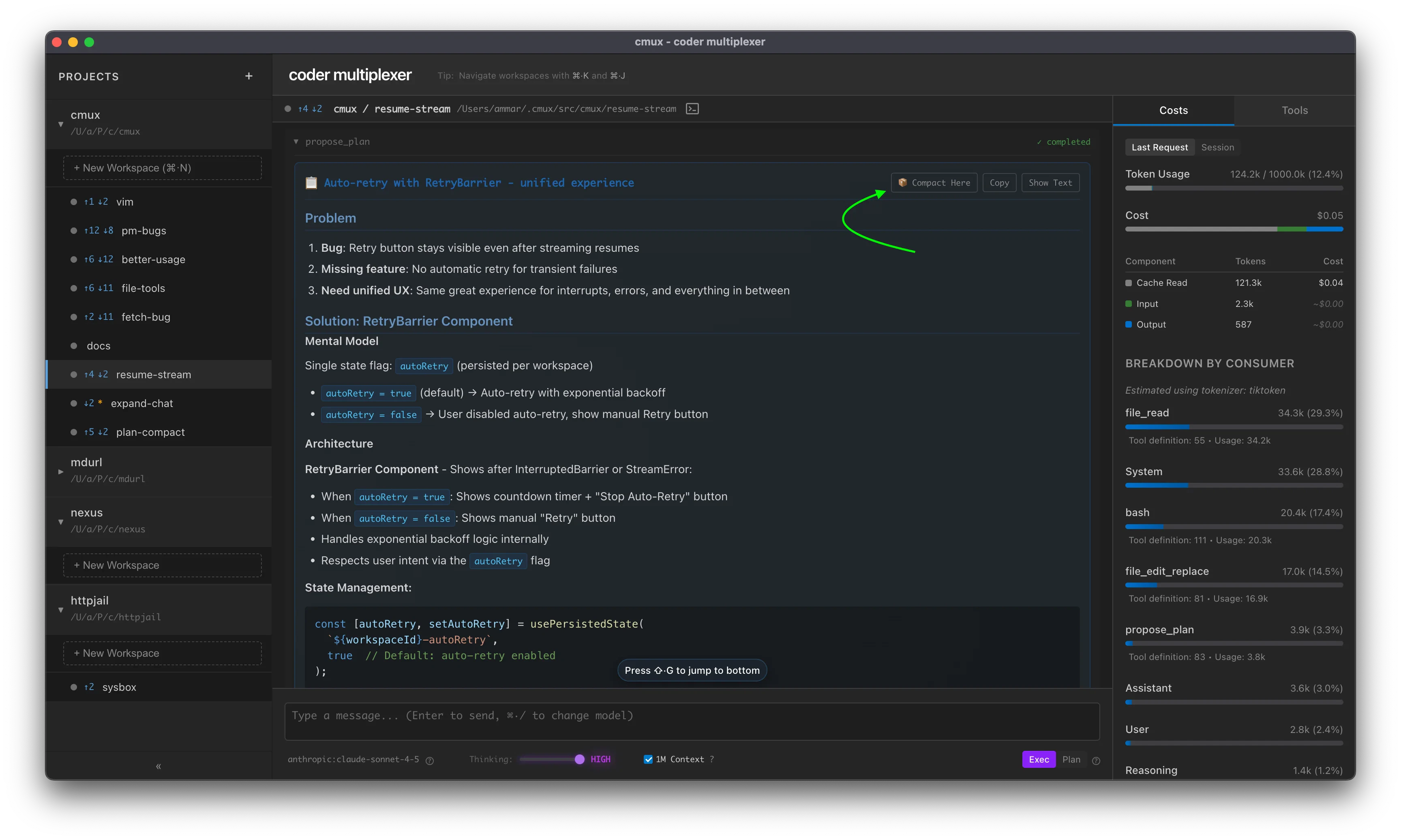
Start Here allows you to restart your conversation from a specific point, using that message as the entire conversation history. This is available on:- Plans — Click ”🎯 Start Here” on any plan to use it as your conversation starting point
- Final Assistant messages — Click ”🎯 Start Here” on any completed assistant response
Compact (AI Summarization)
Compress conversation history using AI summarization. Replaces the conversation with a compact summary that preserves context.Syntax
Options
-t <tokens>— Maximum output tokens for the summary (default: ~2000 words)-m <model>— Model to use for compaction (sticky preference). Supports abbreviations likehaiku,sonnet, or full model strings
Examples
Basic compaction:Notes
- Model preference persists globally across workspaces
- Uses the specified model (or workspace model by default) to summarize conversation history
- Preserves actionable context and specific details
- Irreversible — original messages are replaced
- Continue message is sent once after compaction completes (not persisted)
Clear All History
Remove all messages from conversation history.Syntax
Notes
- Instant deletion of all messages
- Irreversible — all history is permanently removed
- Use when you want to start a completely new conversation